There’s a way to read every Salesforce release: scan the AI announcements, skip the rest. That’s how technical debt happens.
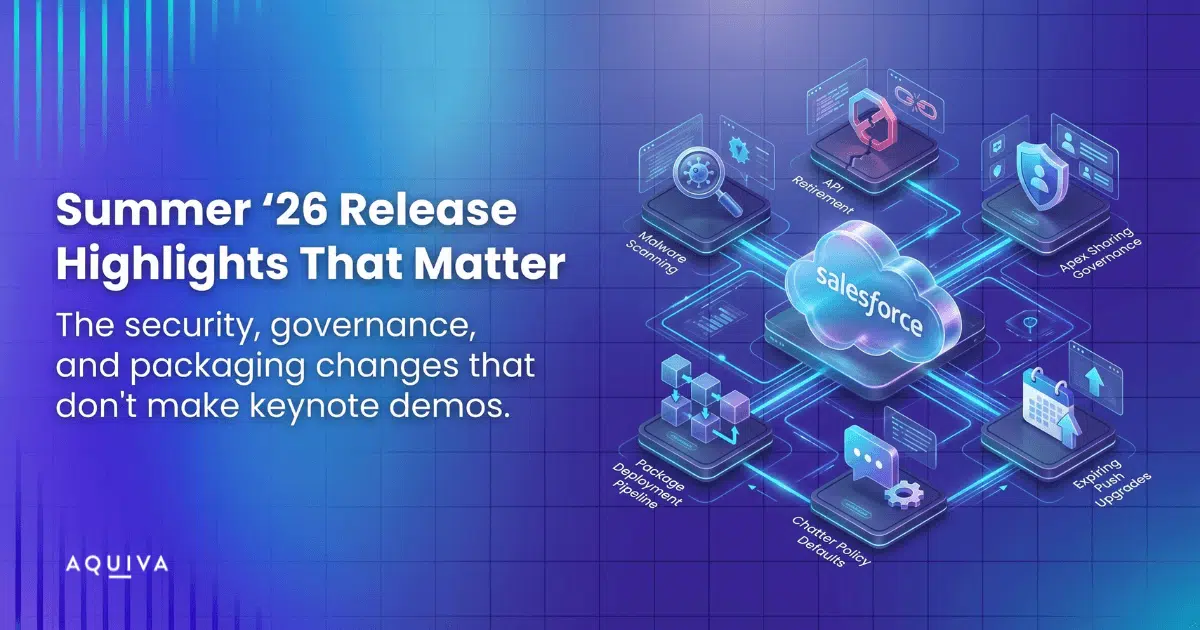
Summer ’26 has five items in the ‘rest’ category we’d actually put on a review list. They’re the security, governance, and packaging changes that don’t make keynote demos. They create work for someone in 2027.
1. SOAP API login() is on a clock
SOAP API login() will be retired in API versions 31.0 through 64.0 with Summer ’27. It’s already gone from 65.0 and later, and disabled by default in new orgs.
Summer ’26 adds one more lever: in new orgs where an admin has enabled SOAP login(), users now need a new Use API Auth permission to authenticate, or the call gets rejected. Existing orgs can opt into the enforcement.
Honestly, this retirement is overdue. The places SOAP login() actually hides in older orgs: scheduled ETL jobs, Java or .NET services from years ago, Data Loader automations, vendor connectors, deployment scripts, and the “temporary” script that became permanent because it worked. The realistic path forward is External Client Apps and OAuth, and the runway between today and Summer ’27 is shorter than it looks once you account for change windows.
Inventory now.
2. Apex defaults to user mode at API 67.0+
For classes saved at API version 67.0 and later, Apex now defaults to user mode for both permissions and sharing. Older code keeps running as it does today.
The detail to flag: if a class is part of an inheritance chain and any class in that chain is on 67.0+, an omitted sharing declaration defaults to with sharing.
If you’re uplifting API versions across legacy code, make sharing declarations explicit before you save. Don’t leave it to the default.
Watch out for the easy fix when user-mode errors start surfacing: assigning a broad permission set that gives users access to every object and field the code touches. That makes the errors disappear, but it also exposes those fields through list views, reports, dashboards, and the API.
3. AppExchange partners: customized push upgrades can now expire
ISV partners can now configure customized push upgrades to expire after a set number of days. You create a PushUpgradeCustomizationRepository record in your 1GP packaging org or 2GP Dev Hub and specify the window. Salesforce’s example uses 90 days.
Without expiration, one-time customer accommodations become permanent by default. Most ISVs we work with have at least one in their packaging history that no one remembers approving.
Two things worth doing this quarter:
- Set a default expiration window and a documented exceptions process.
- Audit current customization exemptions. Some are several years old.
4. Chatter is now off by default in new orgs
Chatter is disabled by default in new orgs from Summer ’26 onward. Existing orgs are not affected, and new orgs can still enable Chatter manually. This is not a retirement announcement.
But Slack is winning. For new builds, treat Chatter as opt-in. For existing orgs, the question is what would actually break if Chatter went away in two years: Case Feed, Flow Chatter Post actions, FeedItem-dependent automations, email-to-Chatter integrations.
5. Malware scanning for Salesforce Files goes GA
Malware scanning is now GA for Salesforce Files. New Setup page, configurable notifications, and alerting on flagged files.
This is the only item on the list I’d turn on the day my org gets Summer ’26. The cost is low, and any org with Experience Cloud uploads, support case attachments, or partner-portal ingestion is currently relying on luck.
Turning it on is the easy part. The questions worth answering before you do: who gets the malware notification, who investigates, what happens when the flagged file is attached to an active case or opportunity, and what’s the response if it was already downloaded before the scan flagged it. Get those answered before the first detection lands in someone’s inbox.
None of these five items is urgent today. That’s exactly why they get deferred, and why they tend to surface as escalations in 2027. Usually on someone who wasn’t there when the decisions were made.
Every Salesforce release is the same trade. A few hours of attention now, or days under pressure later. And under that, there are capabilities you’re already paying for that could pay back the investment if someone planned for them.
Let’s talk about doing both with Summer ’26: closing the debt, and getting more ROI from a platform you’ve already bought.
Authors

Jakub Stefaniak
Field CTO, Salesforce CTA