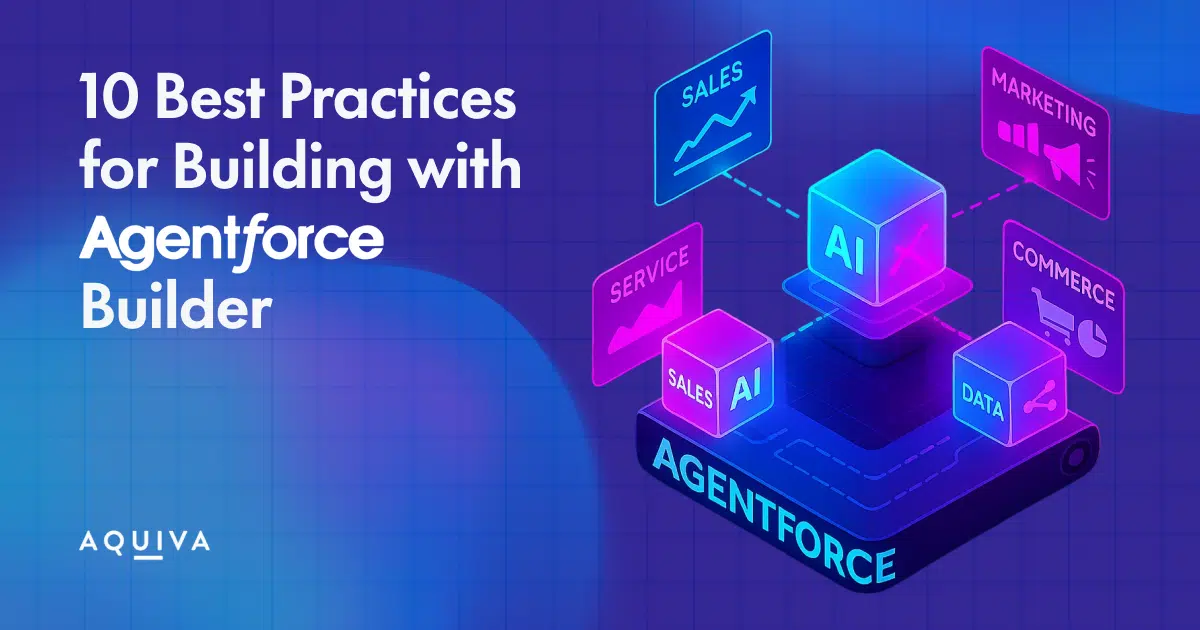
Agentforce is revolutionizing how businesses build and manage autonomous agents across a range of departments for building sales, service, marketing, and commerce agents.
With the vision of having an “Agentforce in every app,” organizations can now automate tasks and streamline operations like never before. Salesforce promises that agents can be configured with just clicks, not code.
We’re seeing this firsthand here at Aquiva, helping partners build Agentforce AppExchange solutions, working with customers implementing it, and leveraging Agentforce for our internal tools and solutions. Building AI-powered agents that drive real business value requires more than just technical execution.
For those of you who have missed our session at TDX this year, we’ve gathered this comprehensive guide to build AI agents and the ten best practices for making the most of Agentforce.
What is Salesforce Agentforce?
Salesforce Agentforce is an AI-driven platform that enables businesses to create and manage intelligent agents designed to automate various customer interaction processes. These agents, powered by natural language processing (NLP) and machine learning, perform a wide array of tasks such as answering customer queries, processing requests, and even resolving complex issues.

Source: Market.us
“The agent revolution is real and as exciting as the cloud revolution… the social revolution, the mobile revolution,” Salesforce Chair and CEO Marc Benioff said recently. “It will provide a level of transformation that we’ve never seen.”
Types of AI Agents in Salesforce
Salesforce Agentforce offers two primary types of AI agents: Assistive AI Agents and Autonomous AI Agents.
Assistive AI Agents
Assistive AI agents are designed to support human agents and enhance their productivity. These agents provide real-time data insights, generate responses to customer inquiries, and offer recommendations that help human agents make better decisions.
For example, a support agent might use an assistive AI agent to suggest appropriate solutions or responses based on the customer’s past interactions or current issue.
This type of agent is ideal for businesses that want to improve operational efficiency without completely replacing human involvement. It augments human capabilities, ensuring faster and more accurate responses.
Autonomous AI Agents
Autonomous AI agents operate independently without human intervention. These agents can handle customer inquiries, process transactions, and resolve issues on their own. For instance, an autonomous AI agent might handle all aspects of a return process, from confirming the return to issuing a refund.
Autonomous agents are best suited for businesses that want to completely automate repetitive tasks and free up their human workforce for high-value work. These agents are particularly valuable in high-volume environments where quick, consistent responses are crucial.
Core Components of Agentforce Builder
Agentforce has three major components designed to help you define and manage your agents’ behavior. These core components serve as the building blocks for creating agents that address specific business needs.
Topics
Topics are the foundation of any AI agent’s purpose. In simple terms, topics define the areas of focus that the agent will engage with, guiding the scope of tasks or conversations it will handle.
Think of topics as categories or themes that shape how the agent interacts with users and the kinds of information it needs to process.
For instance, if you’re building a customer service agent, the topics include things like “order inquiries,” “shipping status,” or “product returns.”
These topics are crucial because they direct the agent’s attention to specific areas, ensuring that it understands what is being asked of it and can provide relevant, contextually accurate responses.
Instructions
Instructions are the operational guidelines that shape the behavior of your AI agent. These are the rules or commands you set up to determine how the agent should respond to specific scenarios, inputs, or triggers.
Think of instructions as the playbook that ensures the agent behaves predictably.
Clear and well-defined instructions are vital for an agent to perform effectively. They provide context for how the agent should process user queries and when it should take action. Instructions are flexible, meaning you can adjust them as your needs evolve.
For example, you can instruct an agent to suggest certain solutions when it detects keywords such as “problem,” “issue,” or “refund.”
Actions
Actions are the tasks or operations that your AI agent is capable of performing. These actions define how the agent interacts with your Salesforce platform and external systems to fulfill user requests. From updating records to sending notifications, actions are what make agents truly functional.
There are a broad range of actions that an AI agent can carry out, depending on the business requirements.
For instance, an agent might be set up to automatically update customer records, send confirmation emails, or even call an external API to retrieve live data such as inventory levels or product prices.
How to Build AI Agents using Agentforce Builder?
Building your first AI agent with Agentforce Builder can seem daunting, but with a structured approach, you can easily create a powerful agent that aligns with specific business needs.
At Aquiva Labs, we’ve helped many businesses navigate this process, ensuring their AI agents are seamlessly integrated with Salesforce and fully optimized for performance.
Here’s a step-by-step guide to help you get started.
Step 1: Define the Use Case and Objectives
The first step is to clearly define the purpose of the agent. What specific problem are you trying to solve? Are you automating customer support? Processing sales leads?
Identifying the problem your agent will solve ensures that you’re building an agent that aligns with your business goals.
For instance, if you’re a retailer, you might want an agent who can handle customer inquiries about product availability and order status. Understanding your objectives from the start will guide every other step in the process.
Step 2: Prepare and Integrate Data Sources
AI agents require data to function effectively. In this step, you need to gather the relevant data and integrate it with Salesforce.
Whether it’s customer data, product details, or past interactions, having clean, well-structured data is essential for training your AI agent. Aquiva Labs, as a Salesforce partner, excels at integrating these data sources efficiently. We also deliver data that provides the agent with the necessary context to deliver personalized and accurate responses.
Say, if you’re building a customer support agent, you’ll want to integrate historical customer queries and responses to help the agent learn the most common issues.
Step 3: Configure AI Agent
Once your data is integrated, you need to configure your agent by defining topics, instructions, and actions. This step is crucial for ensuring the agent can perform the tasks you need. Proper configuration ensures that the agent performs its tasks correctly and aligns with the use case you’ve defined.
It’s at this step that your agent gains the ability to execute meaningful actions based on user inputs.
Step 4: Train and Fine-Tune Your AI Agent
The training process involves refining the agent’s ability to understand natural language, respond appropriately, and perform tasks accurately. Fine-tuning is an ongoing process, as you can continually improve the agent by feeding it more data and feedback.
You shouldn’t stop at training. Parallely, keep testing your AI agents using the testing center. Most organizations prefer Agentforce testing center or use existing agents to test their agents.
Step 5: Deploy AI Agents in Salesforce Environment
Once your agent is trained and ready to go, it’s time to deploy it within the Salesforce ecosystem. This involves integrating it into your existing workflows, ensuring it works seamlessly with other Salesforce tools.
Before going live, test the agent in a sandbox or test environment to ensure it behaves as expected. Run a variety of test scenarios to check its ability to perform tasks and respond to different inputs.
Once you’re confident in the agent’s performance, deploy it to your live Salesforce environment. Integrate it with the desired Salesforce system, such as Service Cloud for support agents or Sales Cloud for lead management.
At Aquiva Labs, we’ve helped many clients successfully deploy their AI agents by thoroughly testing them in a sandbox environment to ensure they meet the expected performance standards.
10 Agentforce Best Practices for Building AI Agents
Now that you know how to build AI agents using Agentforce, let’s look at the ten best practices to consider when building one.
1. Start with Clear Use Cases
Vague AI projects rarely succeed. As you’d do with any other project, ask yourself, “Who is the user and what problem am I solving for?”
Define a specific, high-impact problem. Your initial use case shouldn’t be too broad. Keep it simple, but also ensure that it brings value. Think about user roles, required data, available actions, necessary guardrails, and the channels where the agent will operate.
Prioritise measurable outcomes, such as reducing case resolution time or improving lead qualification rates, to ensure the investment delivers value.
The above is probably true for most development projects. What makes AI different is the need to account for variability and ambiguity. Beyond the trifecta of desirability, feasibility, and viability, think also about adaptability, as it won’t be a one-time effort.
2. Start Small and Iterate
AI (Agentforce and custom) implementations and app development often fail due to overambitiousness. We recommend beginning with a pilot focused on a simple, well-defined use case.
A controlled, gradual rollout allows experimentation, learning, and refinement before expanding to more complex use cases. Early wins build confidence and create momentum for broader adoption.
If you’re building with Agentforce for AppExchange, start small to work around the current packaging limitations. Each new (extension) package requires a fresh security review, adding complexity and delays.
Aquiva quickly and successfully passed several Agentforce security reviews by keeping initial packages small and focused, demonstrating that an incremental approach leads to faster approval and quicker time to market.
Until now, packaging constraints meant that only underlying Apex classes or flows could be packaged, so a big bang approach didn’t make sense. Actions, topics, and prompts couldn’t be included.
After the security reviews, we added additional action-related assets, and with 1GP and 2GP now supporting packageability, we’re finally in a position to scale and evolve these packages properly.
3. Experiment with Topics and Behaviour
Your topics should be clear and well-defined. It’s suggested that poorly defined topics result in wrong action selection, and when instructions are scattered across a number of topics, the agent can act unpredictably.
Thus, topics should be specific, avoiding broad categories. They should guide the agent toward selecting relevant, reusable actions akin to modular “Lego blocks” that can be combined.
Whilst this is generally true, in some instances (see MyOrgButler), we’ve also found that a single broad topic with a few generic actions can sometimes work better, depending on the use case.
Segmenting too much into narrowly defined topics can lead to unintended complexity in some scenarios. The key is to experiment and refine.
Some implementations benefit from modular, reusable actions, while others perform better with a broader, more flexible topic structure.
4. Nail Down Clear Instructions
Since Agentforce relies on NLP, imprecise or vague instructions may give output variability. Use precise, structured language, specifying output formats, expected responses, and handling for missing or incomplete data.
AI’s true strength lies in its ability to handle fuzziness and vagueness. Overly rigid, process-heavy instructions can limit its adaptability rather than enhance it.
Instead of treating AI like a deterministic system, the goal should be to strike a balance: provide enough structure for reliability while allowing flexibility where it matters.
5. Leverage Pre-Built Actions
Reinventing the wheel is a waste of time and effort. Salesforce provides a range of pre-built actions, such as “Identify Record by Name,” that can get you to market faster.
As a Salesforce customer, you should also consider AppExchange solutions from ISV partners to without custom development. Why? Leveraging existing components accelerates deployment and reduces complexity.
Having said that, we found that in some cases, more powerful, flexible actions, such as a generic “Call any API,” provide more adaptability and greater utility (again, check MyOrgButler).
The true value is in striking the right balance between leveraging out-of-the-box functionality and building more flexible, dynamic, scalable actions that can handle complex workflows.
6. Don’t Forget Security and Compliance
AI introduces new security/compliance risks. As we discussed in The AI Trust Dilemma: Why Compliance and Security Are Now Business Priorities, usability and flexibility are developers’ top concerns, but company-wide AI adoption needs to fit into regulatory regimes.
For this reason, Salesforce’s Einstein Trust Layer has been developed as an essential component of AI governance that offers data masking, zero data retention, toxicity scoring, and auditability.
Because of the platform’s security guardrails and quick automated deployment, Agentforce has a rapid adoption rate of 94% among the engineers.
Some security measures are not universally applied, auditability relies on Data Cloud, and many compliance features are difficult to test in non-production environments.
If you’re an AppExchange partner, understand the Security Review requirements before you start building.
7. Involve Humans in the Loop
We’re not quite there with fully autonomous agents. Agentforce should enhance, not replace, human decision-making. Task agents to require approval of key actions prior to execution (specifically those having financial, legal, or customer-facing consequences).
That said, implementation should be thoughtful; overly cautious prompts can turn an agent from efficient to frustratingly hesitant. The key is finding the right balance between necessary guardrails and maintaining a smooth, user-friendly experience.
You don’t want the agent to ask you three times for approval before doing something.
8. Decide What to Package vs. Implement After Install
For AppExchange partners, not all Agentforce capabilities can/should be packaged. Things are moving fast, but there are still packaging constraints today.
While packaging constraints still exist, it looks like we now have 2GP coverage of pretty much everything we need. The best approach moving forward would be to package as much as possible while allowing constrained customisation where required.
Some configurations are best handled post-installation. Understanding what to standardise vs customise allows for more scalable and maintainable deployments.
If you’re a Salesforce customer building internally, define what should be standardised and reusable versus what requires customisation for specific needs.
9. Refactor Prompts and Outputs with Trial and Error
Unlike traditional software development, AI interactions require iterative refinement. Testing is also not going to be the same as with your regular development projects.
Keep in mind that answers may differ depending on context, availability of data, and wording (in computational pragmatics, it’s referred to as utterance variability and discourse processing, both of which influence stochasticity).
When designing instructions, you should consider user utterances and real-world variability to improve consistency and reliability.
However, trial and error alone is not efficient. AI evaluation needs a structured, scientific approach rather than traditional red/green testing. Instead of relying on binary pass/fail outcomes, assessments should focus on the agent’s core components while incorporating observability through execution traces.
Convergence score measurement guarantees that agents make decisions effectively, and well-designed experiments, like prompt refinement, model adjustment, or logic optimisation, propel ongoing improvement.
You want to ensure agents perform reliably in real-world conditions and remain adaptable over time.
10. Think About User Adoption and Change Management
Any solution, including the most advanced AI solution, is useless if people don’t adopt and use it. Focus on feasibility (i.e., can it be implemented effectively?), viability (i.e., does it deliver business value?), and desirability (i.e., do users want to use it?).
Provide training, prioritise quick wins, and establish a feedback loop to drive adoption. AI adoption is as much about trust and usability as it is about functionality.
DevOps in Salesforce remains complex, and tracking adoption is often cumbersome. Try to implement lightweight tracking methods and integrate adoption metrics into your existing DevOps workflows wherever possible. If you’re not sure how, let’s chat.
Final Thoughts
Building with Agentforce Builder is exciting, but it can feel complex if you’re unsure where to start or encounter roadblocks. The key is to approach it step by step, such as defining clear use cases, integrating relevant data, configuring topics, instructions, and actions, and continuously refining your agents.
If you find yourself stuck, don’t hesitate to reach out. We’ve guided organizations through this process countless times and are ready to share our expertise, helping you build AI agents.
For more insights, check out our articles on:
- Agentforce: The New Low Code
- AI Sustainability
- Measuring ROI for Agentforce
- Data Cloud for ISV Partners
You can also check Salesforce’s Become an Agentblazer Innovator module on Trailhead.
FAQs on Agentforce Builder
Agentforce Builder is a Salesforce-native tool that allows you to design, configure, and deploy AI agents that interact with users, automate workflows, and enhance business processes all within the Salesforce ecosystem.
Unlike standard flows or Apex automations, Agentforce Builder leverages natural language processing (NLP) and AI-driven decision-making. This means agents can handle ambiguity, adapt to different contexts, and evolve with continuous training.
Not necessarily. Agentforce Builder provides a low-code framework for building and configuring AI agents. However, for advanced scenarios such as custom integrations or scalable AppExchange packages, some coding or partner expertise may be required.
Common use cases include customer support automation, sales lead qualification, case resolution acceleration, knowledge retrieval, and internal productivity bots. The key is to start with a specific, measurable problem and expand gradually.
Yes, but packaging rules still apply. While recent improvements (like 2GP support) have broadened what’s possible, careful planning is needed to determine what goes into a managed package versus what should be configured post-installation. Many ISVs, including Aquiva Labs, have successfully navigated Salesforce’s security review process by following an incremental approach.
Agentforce works with Salesforce’s Einstein Trust Layer, which provides features like data masking, zero data retention, toxicity scoring, and auditability. However, partners and customers should still design for compliance from the ground up, especially when preparing for Salesforce’s Security Review.
Training involves fine-tuning topics, instructions, and prompts while feeding in relevant data. It’s an iterative process that involves testing real-world utterances, refining outputs, and incorporating structured observability tools to track performance. This ensures agents become more reliable and adaptive with time.
Author

Greg Wasowski
SVP, Consulting and Strategy
Co-authors

Michael Holt
Director, Solution Consulting

Robert Sösemann
Senior Principal Architect